
AI · Practical guide
Copilot in finance: turning a transcript into an assistant that delivers exactly what you expect
You have the transcript of a meeting where leadership explains how they want to receive their analyses. Pasting it into Copilot as is gives you a generic result. The right approach: extract the rules from the transcript, encode them as triggers ("when I ask for X, produce Y") in a Copilot agent, then test before relying on it. Includes a complete example for month-end variance analysis.
DexavisionOctober 23, 20268 min read
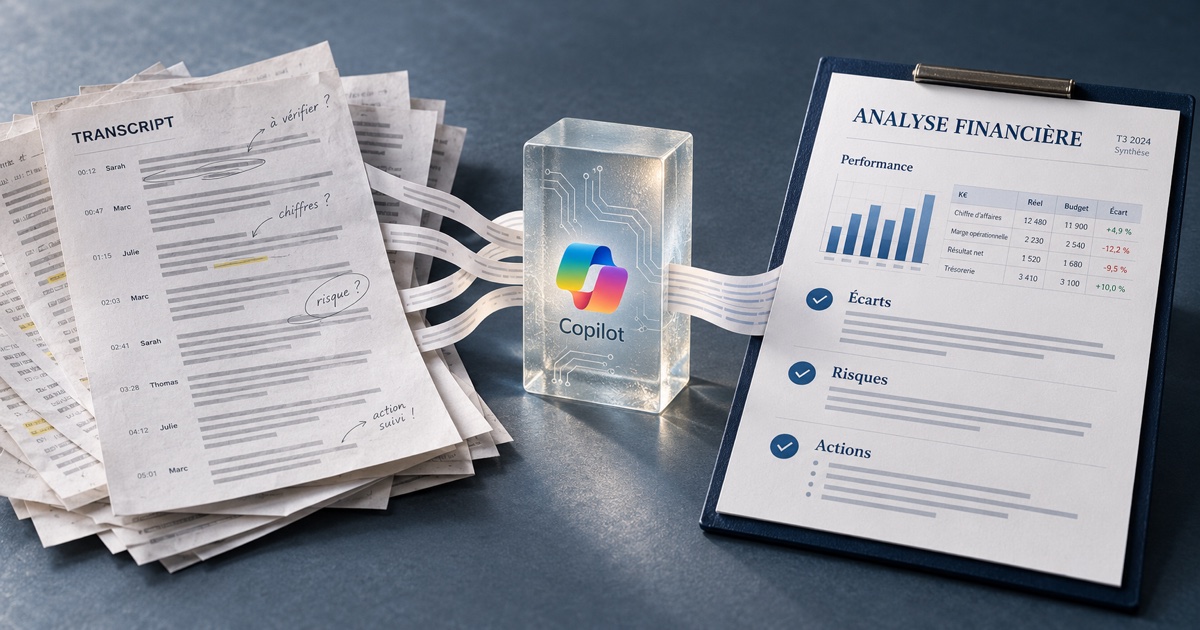
Copilot in finance: from a transcript to an assistant that delivers what you expect
The meeting happened. The expectations were stated. Now you have to teach them to Copilot.
A classic scenario. The finance director spends forty minutes in a meeting explaining how she wants to receive the variance analysis every month: which thresholds, what format, what annoys her, what she reads first. Teams recorded the whole thing. You have the transcript.
You paste it into Copilot and ask: "Do the variance analysis the way she wants it."
The result is decent, but generic. Half of what she asked for is missing, and there are things she explicitly said she didn't want to see.
That's not a Copilot problem. It's a method problem.
Too much noise.
A transcript isn't an instruction manual
A transcript contains everything: the tangents, the hesitations, the jokes, the idea floated at minute 8 and then corrected at minute 31. Copilot doesn't know what matters. It gives a passing remark as much weight as a requirement repeated three times.
What Copilot needs are rules. And the most effective form of a rule is simple:
When I ask for X, you produce Y, in this format, following these conditions.
The whole job is getting from the transcript to those rules.
Extract, encode, test.
The three-step method
-
Extract the rules from the transcript. Have Copilot itself do the sorting, then validate.
-
Encode them as instructions. Clear triggers, precise deliverables, reliability rules.
-
Test with real cases. Then fix the instructions every time the output drifts.
Copilot does the sorting.
Step 1: have Copilot extract the rules
Attach the transcript in Copilot Chat and use an extraction prompt. The goal isn't to produce the analysis yet, but to get the list of requirements.
Here is the transcript of a meeting where our finance director
explains how she wants to receive the month-end variance analysis.

Read it and extract only the working rules, in this format:
1. The deliverables requested (name, content, format, recipient)
2. The thresholds, definitions and calculations mentioned, with the exact quote
3. What she does NOT want to see
4. Contradictions or unclear points to confirm

Don't add anything that isn't in the transcript.
If a rule is implicit, flag it as "to be confirmed."
Read the output carefully. This is where you correct misinterpretations, before they end up in every future analysis. The "unclear points" section is often the most valuable: it's your list of questions to ask the director.
When I say X, you do Y.
Step 2: write clear triggers
Good instructions fit into five blocks:
- The role: who the assistant works for and what it's for.
- The data: where the numbers come from, and a ban on making any up.
- The triggers: every keyword you'll use, with the exact deliverable it produces.
- The general rules: what to do if the request is unclear or data is missing.
- The format: currency, rounding, length, tone.
The triggers are the core. Give each deliverable a short, stable name ("variance commentary," "executive summary") and always use those exact words when you make a request. Copilot then ties each name to a specific output instead of guessing.
Ready to adapt.
The complete example: month-end close
Here are complete instructions for a variance analysis assistant. The thresholds and preferences are just an example: replace them with what your own transcript contains.
ROLE
You are the financial analysis assistant for the financial control team.
You prepare the month-end close deliverables according to the finance
leadership's expectations, as described in the attached transcript
("Close meeting – leadership expectations").

DATA
- Use only the figures I provide (Excel file or pasted table).
  Never invent, estimate or extrapolate an amount.
- If a required piece of data is missing, say so clearly and stop
  before drawing any conclusions.
- Amounts in Canadian dollars, format $12,345.
  Percentages to one decimal place.

TRIGGERS
1. When I ask for "variance commentary":
   - Compare actuals to budget for each line item.
   - Keep only material variances: 10% or more AND $25,000
     or more.
   - Produce a table: Line item | Budget | Actual | Variance $ | Variance % |
     Favourable/Unfavourable | Explanation | Proposed action.
   - The explanation comes from my notes or the transcript. If no
     explanation is provided, write "To be documented." Never guess
     the cause of a variance.

2. When I ask for "executive summary":
   - 5 bullets maximum, most important first.
   - Start with net income compared to budget.
   - End with risks for the following month.
   - No unnecessary jargon: the director reads on her phone.

3. When I ask for "questions to ask":
   - List material variances with no explanation.
   - For each one, write a specific question for the line item owner.

GENERAL RULES
- If my request doesn't match any trigger, ask me which one
  I want before producing anything.
- State the source of each explanation: my notes or the transcript.
- You do not give tax advice or investment recommendations.
Notice what makes these instructions effective: numeric thresholds, a mandatory table format, an explicit rule for missing data, and a way out when the request is ambiguous.
An agent, not copy-paste.
Where to put these instructions
You have three options in Microsoft 365 Copilot. My recommendation is clear: create an agent.
Recommended: a dedicated agent
In Copilot, choose New agent, then switch to the configuration tab:
-
Name: short (30 characters maximum), for example "Month-end close."
-
Description: one or two sentences on what the agent does.
-
Instructions: paste the block above. The limit is 8,000 characters, more than enough.
-
Knowledge: add the transcript as a file, and ideally the summary validated in step 1.
-
Starter prompts: create one per trigger ("Variance commentary," "Executive summary," "Questions to ask"). You and your colleagues will just have to click.
The agent keeps its instructions from one conversation to the next. Each month, you open it, attach the results file and type "variance commentary." That's it.
Note: agent creation and the available knowledge sources depend on your organization's licensing and settings. If the option doesn't appear, that's a question for your IT team.
Avoid for this need: custom instructions
Copilot also offers global custom instructions, in the chat settings under Personalization. They're meant for your general preferences (tone, format, language). They apply to all your conversations, so they're not the place for rules specific to month-end close.
As a fallback: the full prompt every time
Without access to agents, you can put everything into a single request. It works, but you have to paste the rules again every month:
Act as a financial control analyst. Based on the attached transcript
(leadership expectations) and the file "September results.xlsx,"
produce the September variance commentary:
- only variances of 10% or more AND $25,000 or more
- table: Line item | Budget | Actual | Variance $ | Variance % | Explanation | Action
- use only the figures in the file
- if an explanation is missing, write "To be documented"
- end with 3 questions to ask the owners of the line items concerned
Finance is unforgiving.
Step 3: test before relying on it
Before sending a first deliverable to leadership, test the agent on a month that's already closed, where you know the right answers. Check four cases:
- A variance just above the threshold. Is it included?
- A variance just below. Is it excluded?
- Missing data. Does the agent stop, or does it make things up?
- An unclear request. Does it ask a question, or improvise?
Every time the output drifts, don't just fix the deliverable: fix the instructions. That's how the agent gets better from one month to the next.
What throws things off.
Pitfalls to avoid
- Made-up numbers. An AI can produce a plausible but wrong amount with the same confidence as a real one. The "only the figures provided" rule is mandatory, and reconciling with the source remains your responsibility.
- Confidentiality. A finance meeting transcript often contains sensitive information. Use your organization's Copilot, never a consumer tool, and think about who you share the agent with.
- Contradictory instructions. The more rules you add, the higher the risk of conflict. Reread the whole set every time you add one.
- The transcript as the only source of truth. A comment made in a meeting isn't a policy. Have the important rules confirmed by the person concerned.
Know-how, finally captured.
In conclusion
Most finance teams have very specific expectations that aren't written down anywhere, except in a few people's heads and in meeting recordings nobody rereads.
Turning a transcript into a Copilot agent captures that know-how once and for all. The benefit isn't just producing the analysis faster. It's producing it the same way every month, following the same rules, no matter who's on vacation.
Start with a single deliverable. Do it well. Then add the next one.